Unable to RDP. Enable Disable Microsoft Terminal Services Client Control mstscax.dll
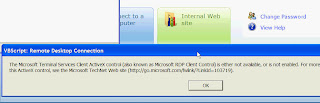
So today i.e. Aug 17 2009 I was not able to remote desktop to my work computer from home. I am on WinXP Pro SP 2 with Internet Explorer 7 and I was able to remote desktop earlier without any issues. Today, I was getting the popup message saying you need to install active x control. See below I knew this had to do with Microsoft Terminal Services Client Control mstscax.dll and you need to enable it for RDP to work. For some reason, Internet Explorer 7, in its manage or enable disable add on feature wont show the Microsoft Terminal Services Client Control mstscax.dll. Here is a way to make it available so you can enable it. 1. When you get the pop up to install active X control as pop up , you get 2 options, Run and Dont run (install or dont install basically). I selected Dont Install. I will tell you later why I picked dont install, so hang on to that thought ;-). 2. Once I selected dont install, I got an small alert box or message info in yellow box from Internet explorer saying clic...